
Changelog
Stay up to date with the latest updates, improvements, and new features.
Dashboard, Search, Navigation & More
- • New personal dashboard tracks your progress, recent activity, and streaks across all modules
- • Browse and filter modules by disaster phase on the homepage, with a built-in keyword search
- • "On this page" sidebar on module pages helps you see what's covered and jump to any section
- • Community Resilience Map added to the /map page
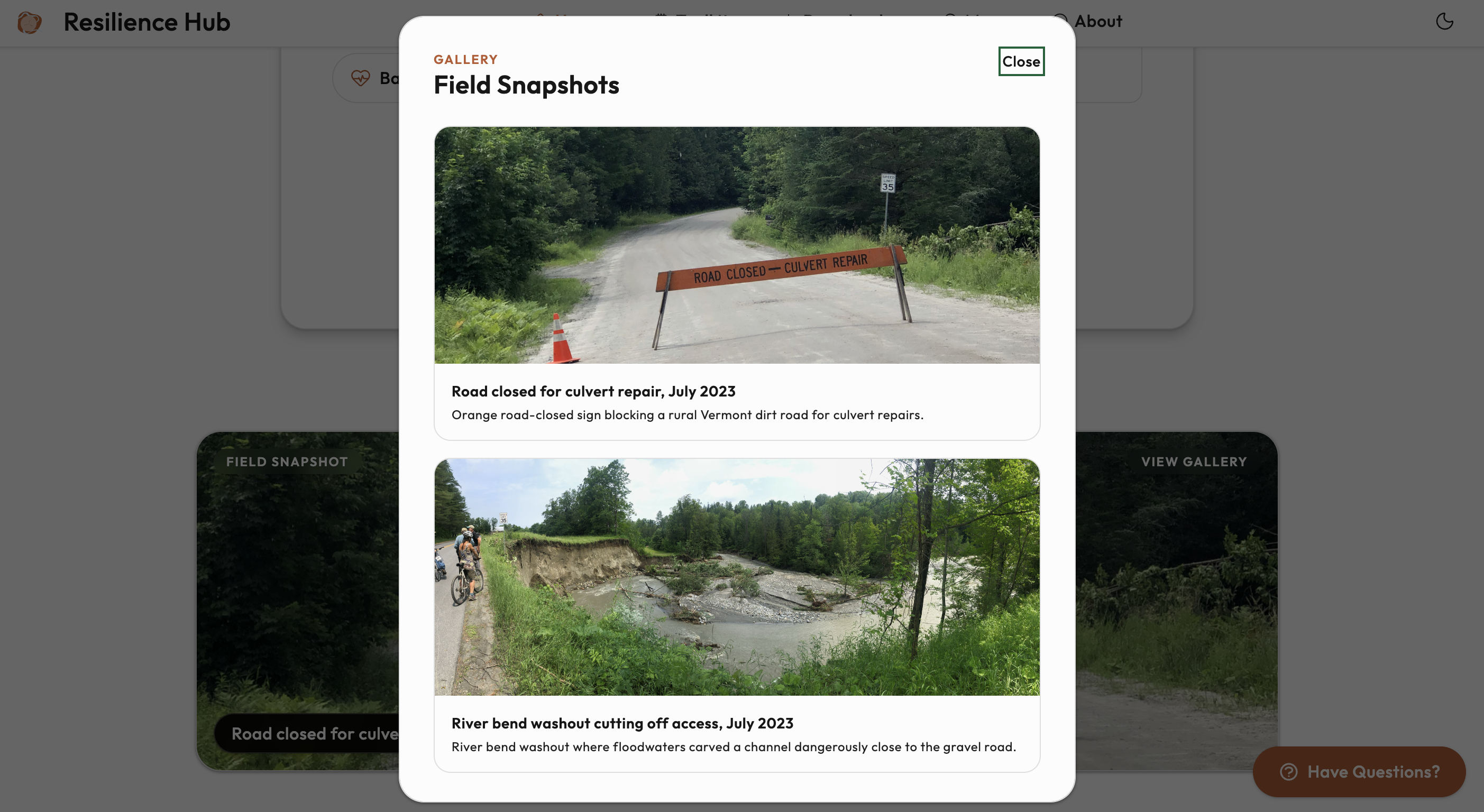
- • Homepage photo gallery featuring real flood response work
Personal Dashboard
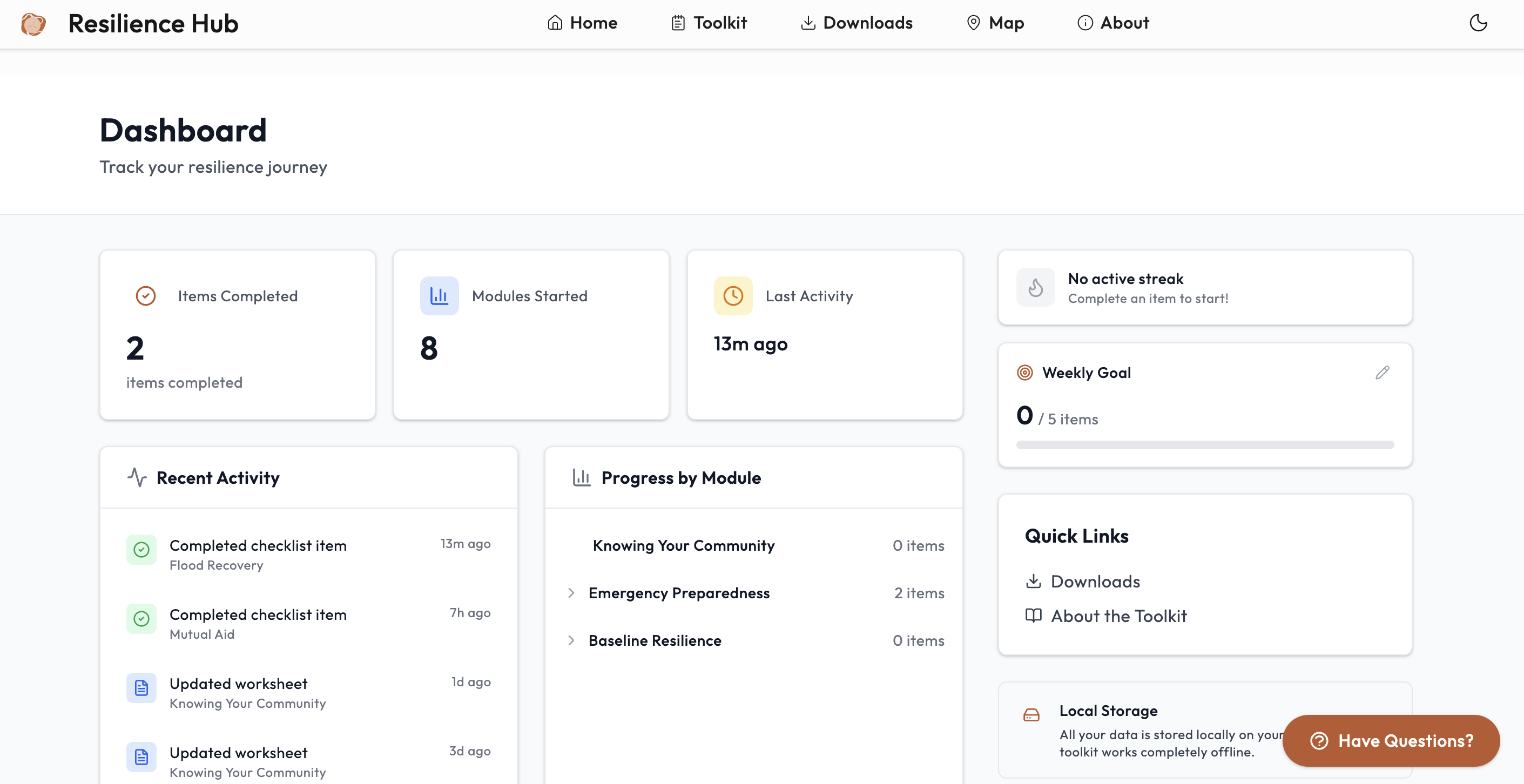
A new dashboard gives you a personal overview of your preparedness journey. As you work through the toolkit's checklists, the dashboard tracks your progress across all modules—showing items completed, modules started, and your most recent activity.
Expand any module in "Progress by Module" to see a per-section breakdown (e.g., how many Emergency Kits items you've checked off vs. Food & Water). The sidebar on each module page also reflects your progress in real time, so you always know where you left off.
Set a weekly goal and build a streak to stay motivated. All data is stored locally on your device—nothing is sent to any server.
Interactive Module Explorer
The homepage now features an "Explore the toolkit yourself" section with phase filters. Click Before, During, or After to see which modules apply to each stage of a disaster. General modules like the Introduction and Resource Library always stay visible so new visitors can find their way around.
Each module appears as a button with its icon and colored phase dots. Hover or tap on any module to see a short description.
The explorer also includes a keyword search — just start typing to find content across the entire toolkit. Results appear as you type, with your search terms highlighted. This search works even without an internet connection.
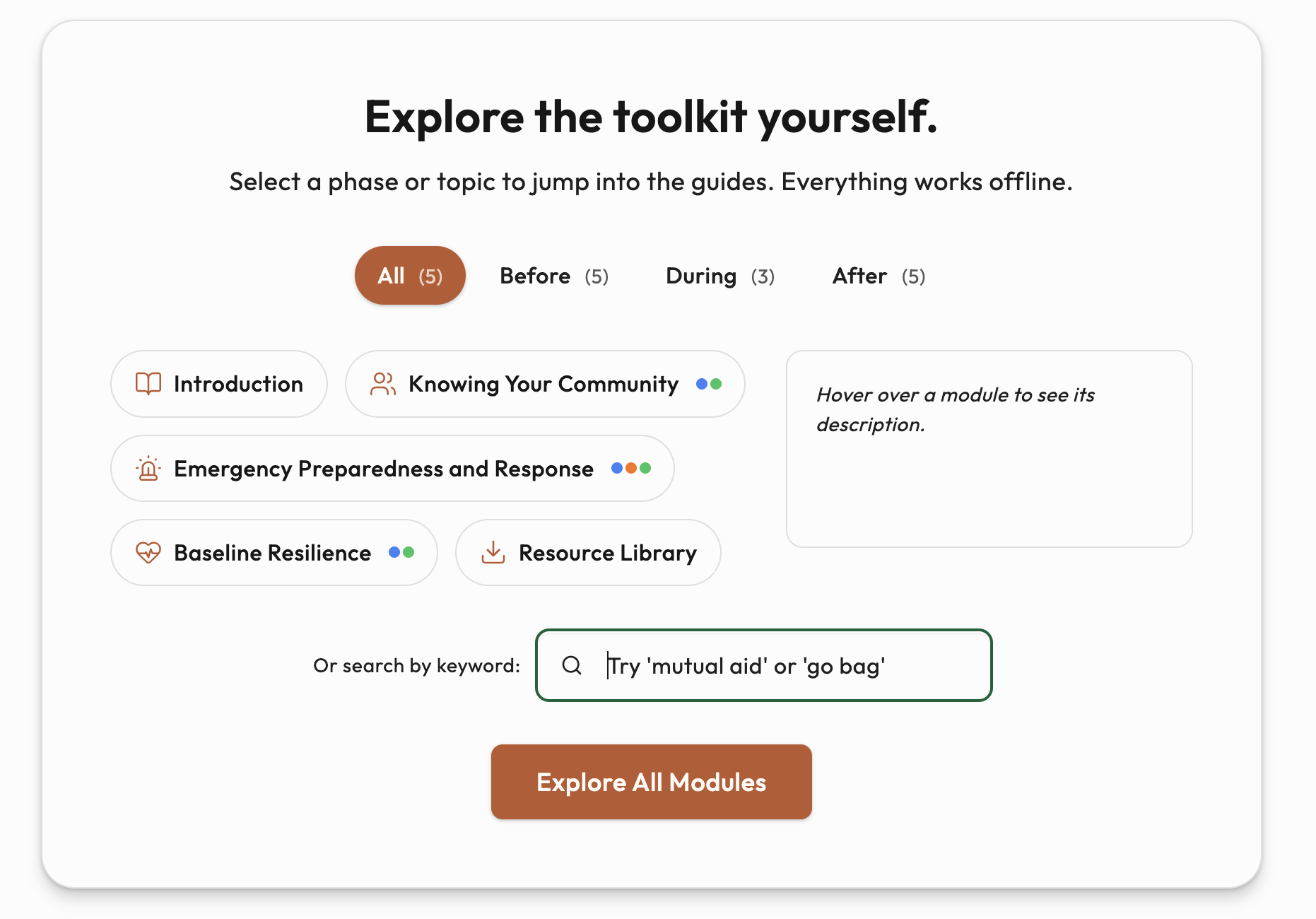
Table of Contents Sidebar
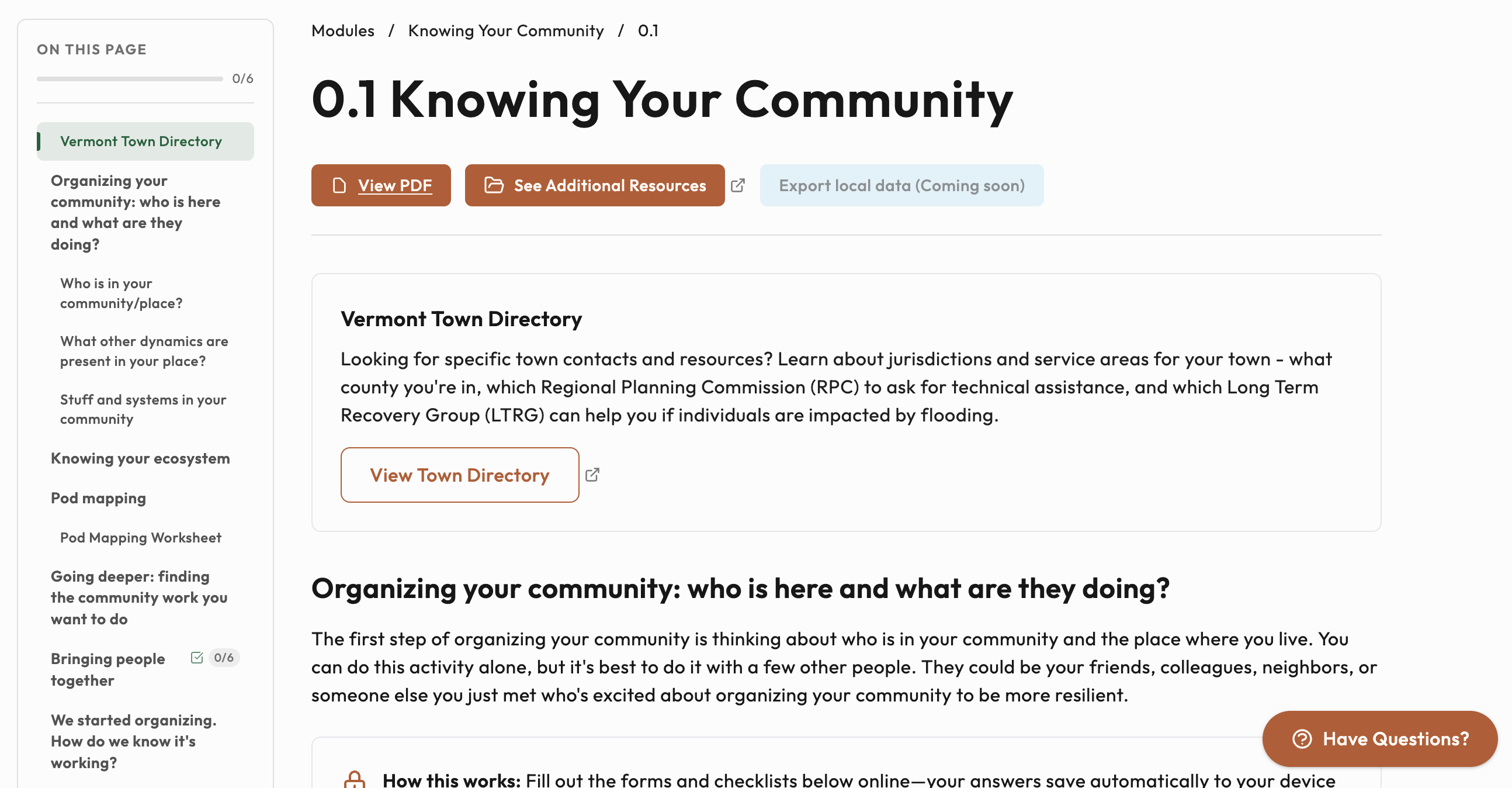
Module pages now feature a Wikipedia-style "On this page" sidebar that makes it easy to see what's on the page and jump to any section. It tracks your scroll position, highlights the current section, and shows checklist completion progress (e.g., "5/11").
On smaller screens, tap the floating button in the bottom-right corner to open the table of contents as a slide-in drawer.
Community Resilience Map
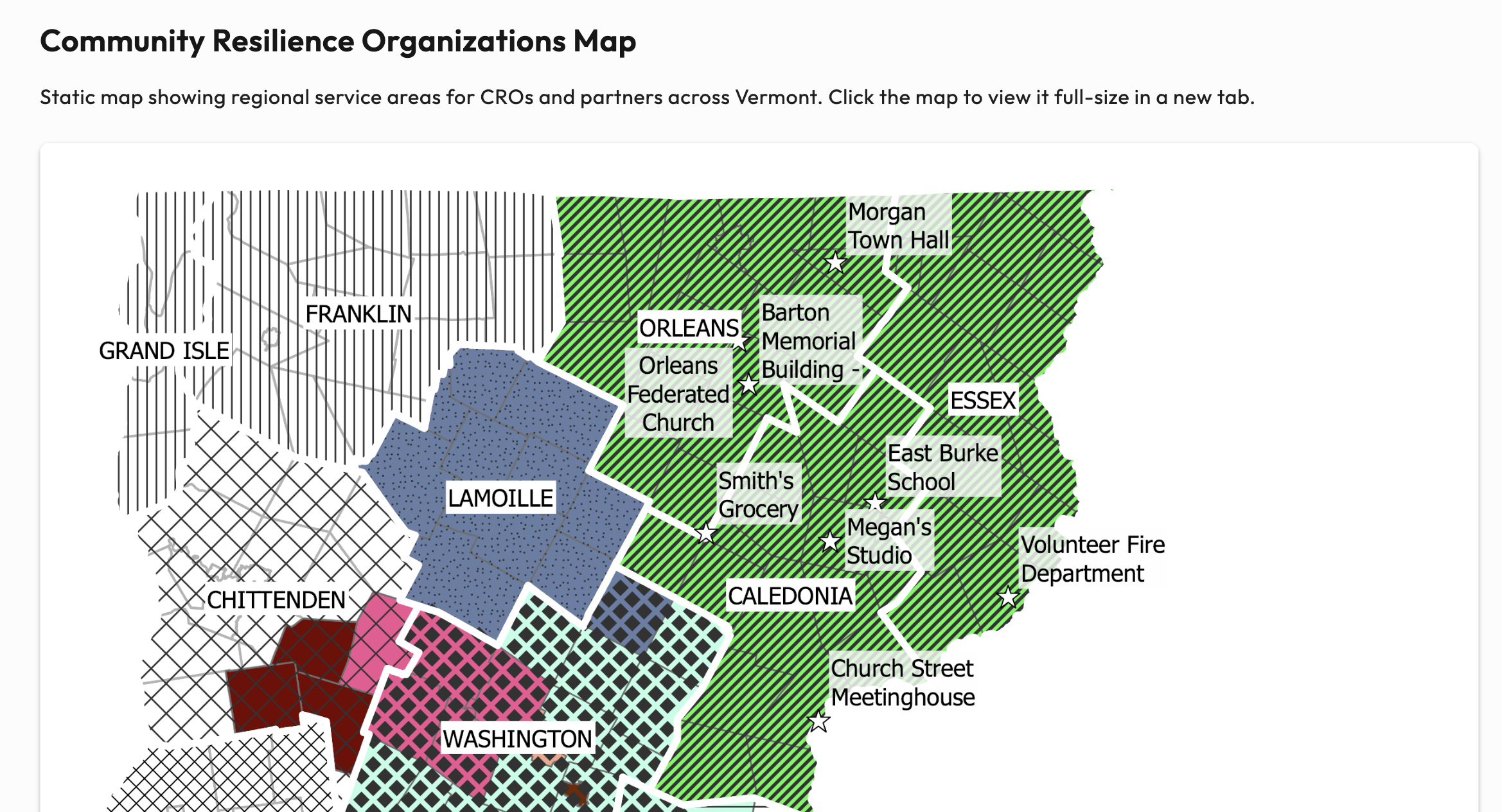
The Find Your Town page now features a map, showing regional service areas across Vermont.
Click the map to open it full-size in a new browser tab—especially helpful on mobile devices where you can pinch to zoom. Interactive features coming soon.
Homepage Photo Gallery
A new Field Snapshots section appears on the homepage, highlighting real flood response work. The photos rotate on each visit, and you can click "View gallery" to browse all photos with full-size views and captions.
Photos load quickly, even on slower connections.
Changelog
We're introducing this changelog to keep you informed about updates to the Resilience Hub Toolkit. As we continue to improve the site and add new features, you'll be able to find all the details here.